

Click the link in the email you have been sent or login at crm.creationweb.uk.
Once signed in, head over to invoice located on the top menu.
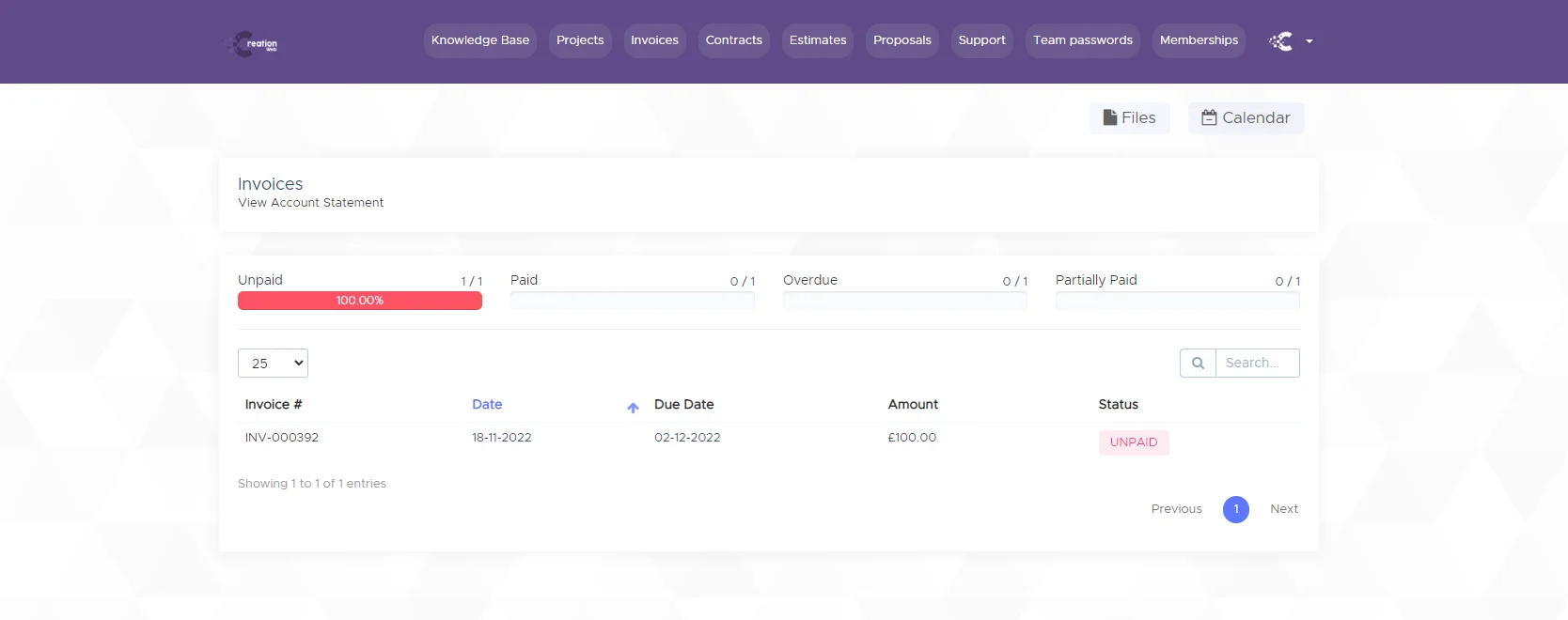
Click on the invoice number which will then open up the invoice to view.
Click the “Pay Now” button to be taken to the payment options.
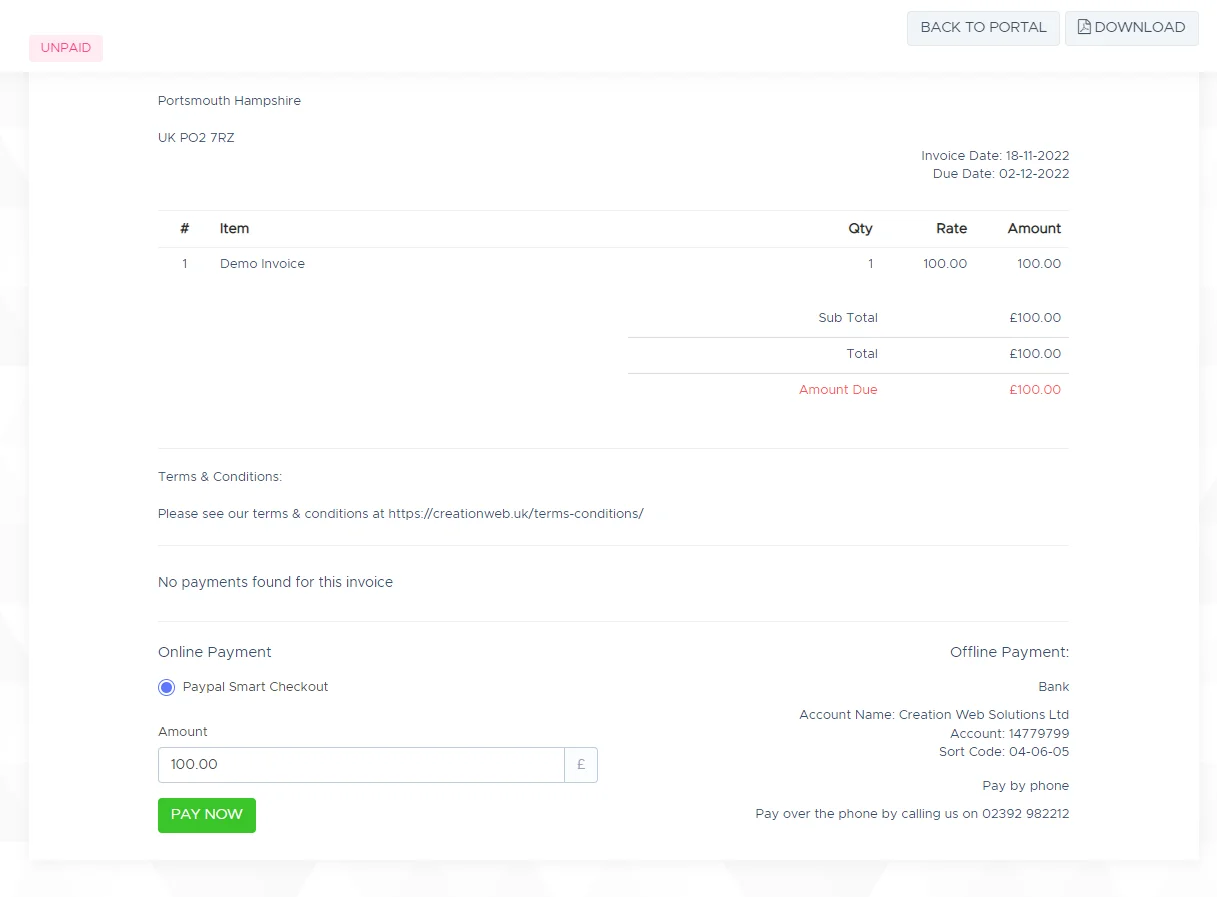
Confirm the amount, payment option and click Pay Now.
If you are looking to make a 50% payment, adjust the amount in the amount field and click pay now.
If you wish to pay via bank transfer, please follow the instructions on your invoice.
To pay by phone simply call us on 02392 982212 and we’ll process your payment.