
Don't have an account? Create Account
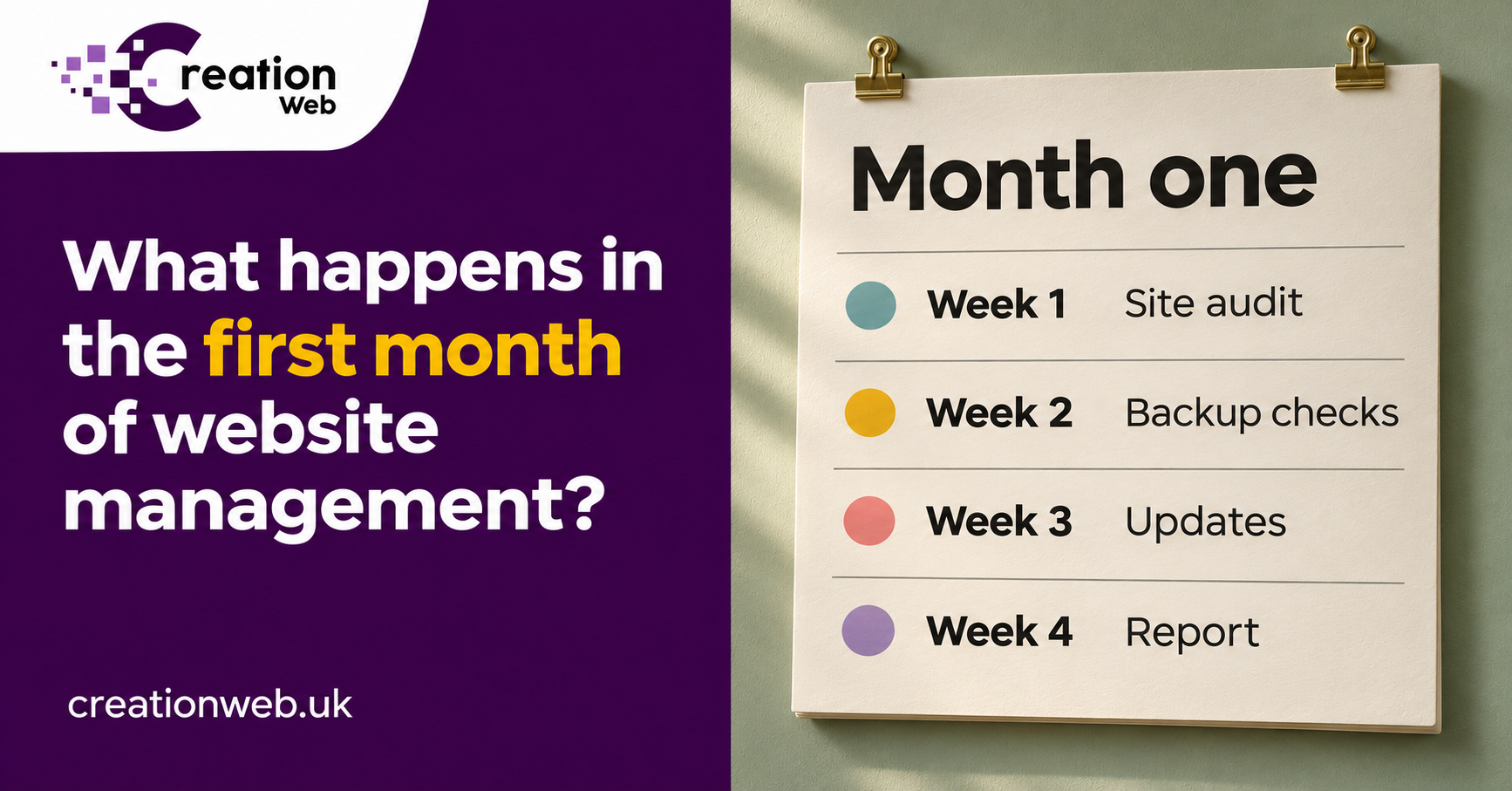
Taking over an existing website starts with access, backups and a working enquiry form. Here’s what a sensible first month looks like from the owner’s side.
Team Creation
Author
If you’re moving an existing website onto a maintenance plan, the first month should leave you able to answer three questions. Who can get into the systems the site depends on? How would it be restored if something went wrong? And does a customer enquiry still reach your inbox? The order of work depends on what the incoming team finds, but those are good standards to judge a handover by.
A WordPress login gives access to the website dashboard. It may tell you little about who pays for the domain, where the site is hosted or which account sends form emails. Before the handover, gather the names of those providers, the renewal contact and any licence details for paid themes or plugins. Give the new team its own account wherever the platform allows it and use a secure way to share access.
One detail worth settling early is email. If your hosting also handles your mailboxes, say so before somebody proposes moving the website. If the old agency owns a plugin licence, find out whether you’ll need your own subscription. These are easier conversations to have while both teams are available.
Give the incoming team your website address, the details of the previous provider, the names of any hosting or domain services you pay directly and an example of a recent enquiry. Add a short note about any planned campaigns, product launches or busy trading days. If you are sending an email campaign on Thursday morning, that is a poor time to discover that an update has changed your landing page.
For each service, record the account owner, the renewal date and who receives the reminders. Identify any accounts held in a former employee’s name. Where possible, have the business own the account and invite the provider with appropriate access. This makes a future handover much easier. Don’t cancel the old hosting simply because a new maintenance agreement has started. Confirm first whether the site is staying where it is, whether email uses that hosting and whether any migration is actually included.
If nobody knows where the domain is registered, search old invoices and renewal emails before paying to move anything. A hosting invoice and a domain renewal can come from different companies. Equally, the person who can change the website might have no authority to change DNS, the records that point the domain to its website and email services. Establishing who can do what is a useful first-week result in its own right.
Make a short list of the actions that matter to the business. For a tradesperson that might be a phone call and a quote form. For a training provider it could be selecting a course date, submitting a booking and receiving the confirmation. Put a real test through the process and check the destination inbox. A green “message sent” notice alone doesn’t tell you the office received it.
Record any existing faults before changes begin. If enquiries already go to an old mailbox, correcting that might be the most valuable job of the month. It also gives everyone a clear starting point for checking subsequent updates.
Suppose you run a training centre. Tell the incoming team that the important journey starts on a course page, continues through a booking form and ends with a confirmation for the learner and an email to the office. Agree how a test booking will be identified and removed. Include the part that happens after the browser displays “Thank you”. The learner can have a lovely experience on screen while the booking sits unseen in an abandoned mailbox.
Check on a phone as well as a desktop. A date picker hidden behind a sticky menu or a required field that won’t accept a UK phone number can stop a booking without taking the website offline. Make a note of which browser and device showed the issue and what you tapped. That gives the support team a fault they can reproduce. “Bookings seem quiet” is much harder to investigate.
Agree the business priorities before the list of minor faults grows. A broken booking confirmation belongs ahead of an uneven margin on a gallery. If a long-standing fault predates the agreement, ask what can be fixed within the plan and what needs a separate estimate. You should know which work you have authorised before the first invoice arrives.
For WordPress, the files and the database both matter. Ask when the last backup completed, where it is kept and how the team would restore it. A trial restore into a separate environment can reveal a missing database or image folder while the live site is still working. Agree how recent a recovery copy needs to be, especially if bookings or orders change throughout the day.
Creation Web’s website management service covers backups, monitoring, updates and reporting for existing sites as well as sites we’ve built. For a site with ageing plugins, the first month may involve testing updates on a staging copy and agreeing what to do about an unsupported component. For a simpler site, it may be possible to move straight on to routine care.
For a brochure site, restoring yesterday’s backup may mean reapplying a text change and replacing one photograph. For a shop, the same restore could remove paid orders received since the backup. Before anyone promises a recovery time, discuss how many transactions the business can afford to re-enter and where the team could reconstruct them from. The same question applies to deposits, bookings and new membership registrations.
Ask who decides when to restore and how current records will be protected first. Also ask what is covered by the backup. A copy of WordPress files and its database may do nothing to recover a separate mailbox, a third-party booking account or files stored with another provider. List those dependencies beside the people responsible for them. Then the office knows who to contact when an external system fails but the website itself still loads.
For an older WordPress site, the team may make a staging copy to test a change. Agree that the copy should keep real customers out of the test. It shouldn’t send booking confirmations or take live payments. Try the important journeys there, apply the agreed change to the live site and check the journeys again. If the update breaks a form, the plan should identify how to reverse the specific change while preserving new enquiries.
When a paid plugin has expired or its developer has stopped maintaining it, ask for the options in writing. Renewal, replacement or a small piece of custom development can have different effects on the budget and on the staff using the website. Request an explanation of which feature depends on it. The person approving the spend should be able to tell whether an old plugin powers the booking calendar or a banner nobody uses.
You should be able to see what changed, what was tested and what still needs your decision. “Updated the booking plugin and confirmed the test booking reached reception” is more useful than a list of version numbers on its own. If a larger repair needs a separate quote, the report should explain which part of the business it affects.
A sensible report distinguishes completed work, routine monitoring and work awaiting your approval. Ask how small content edits are counted, who to contact for an urgent fault and when the team normally responds. A response time tells you when someone will pick up the issue. The time to repair it may depend on a hosting company, a payment provider or a decision only you can make.
For example, changing the office phone number on an existing contact page is a straightforward content request. Adding a second branch with new booking rules and a different inbox may require design, development and testing. If the plan includes an allowance for edits, agree how the provider handles a request that exceeds it. The report should let you see what used that allowance and what has been quoted separately.
By the first review, try answering these questions without looking through old email. Who gets the alert if the site goes down, when was the last successful backup, did the booking or quote test reach the office, and what needs a decision from you? Any answer that is still unknown belongs on the next month’s work list with a named owner.
By the end of the month, keep the support contact, the agreed scope and the outstanding decisions somewhere you can find them. If you’re asking us to take a site on, send the website address and tell us which part you’d miss first if it stopped working tomorrow. That gives the handover a clear priority.
If you would rather hand the updates, hosting and fixes to us, we can quote a management plan.
We're here to help with your next project
Send your message any time you want.
WhatsApp us!